Tagalog TikTok guide
Paano Tanggalin ang Matcha Filter sa TikTok
Short answer
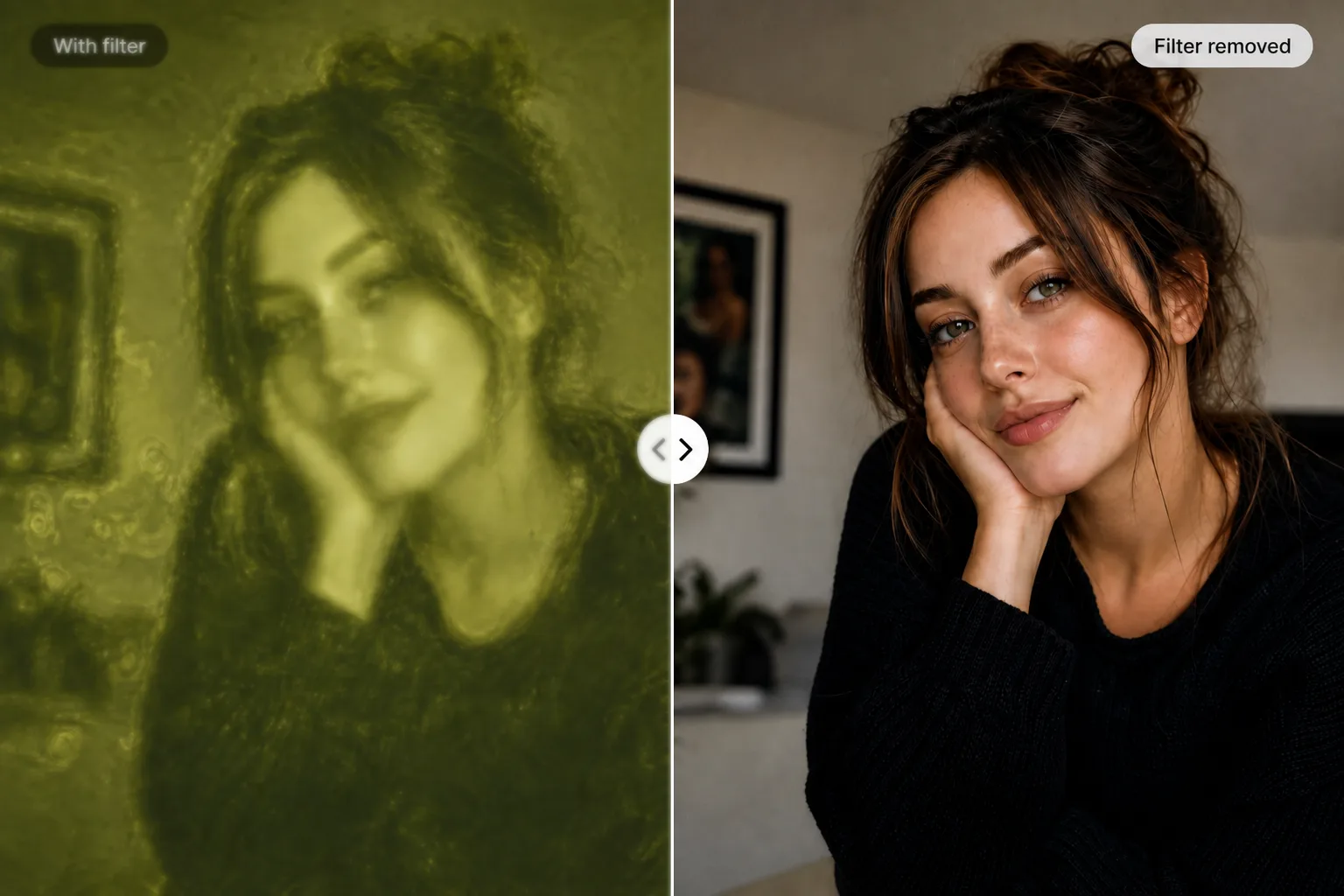
Kung hinahanap mo ang paano tanggalin ang matcha filter sa TikTok or paano alisin ang matcha filter sa TikTok, save your own TikTok video or screenshot, open Matcha Filter Remover, upload it, run the free Remove effect, compare, then download. The tool can clean green cast, haze, grain, and harsh contrast, but it cannot bring back a perfect original TikTok file.
Quick steps
1. I-save ang video or screenshot
Use a TikTok clip, screenshot, or photo that you own or have permission to edit. If the matcha look is already exported into the file, the cleanup is best-effort.
2. Buksan ang free remover
Go to Matcha Filter Remover. The free Remove tool runs in your browser, so normal cleanup does not require an account or card.
3. Upload, then run Remove effect
Upload JPG, PNG, WebP, MP4, WebM, or MOV. Run Remove effect to reduce the green/olive cast, haze, grain, and strong contrast. Use the sliders if the image still looks too green.
4. I-compare, then download
Drag the compare split to check “with filter” vs “filter removed”. If the cleaned result looks better, download it. For video, export depends on your browser.
What the tool can and cannot do
Quick facts
- Free Remove runs in the browser and does not require signup.
- It works best on green cast, haze, grain, and harsh contrast.
- It supports photos, screenshots, and short MP4/WebM/MOV clips.
- It cannot restore exact original pixels or reveal hidden/censored content.
- AI Restore is optional for one hard still frame after the free cleanup.
Good fit
TikTok screenshots, saved photos, and short clips with a green matcha cast, haze, grain, or harsh contrast.
Hard cases
If one frame still looks melted after the free cleanup, optional AI Restore credits can try a stronger still-frame cleanup. AI Restore is best-effort, 18+, and does not process an entire video.
Not possible
No tool can reveal hidden, censored, blurred, painted-over, or missing detail. Matcha Filter cleans color and texture effects; it does not uncover private or blocked content.
Related searches this page answers
- paano tanggalin ang matcha filter sa TikTok
- paano alisin ang matcha filter sa TikTok
- paano tanggalin ang matcha filter sa TikTok video
- paano magtanggal ng matcha filter sa TikTok
- pano tanggalin ang matcha filter sa TikTok
More guides
For the English version, see how to remove the matcha filter on TikTok. For video-specific limits, read remove matcha filter from video. For trend background, open the viral matcha filter trend guide.
FAQ
Paano tanggalin ang matcha filter sa TikTok?
Save your own TikTok clip or screenshot, open Matcha Filter Remover, upload the file, run the free Remove effect, compare, then download. It cleans the green matcha look when possible, but it cannot perfectly recover the original pixels.
Paano alisin ang matcha filter sa TikTok video?
Use a short MP4, WebM, or MOV you can edit. The free browser remover can clean color cast and grain across a short clip. Optional AI Restore only works on the current frame as a still image.
Libre ba ang Matcha Filter Remover?
Yes. The default Remove tool is free, on-device, and does not need signup. AI Restore is optional and uses paid credits for hard still-frame cleanup.
Can it restore the exact TikTok original?
No. If the effect is already baked into an exported TikTok file, cleanup is best-effort. It cannot recreate missing pixels or reveal hidden, censored, blurred, or painted-over detail.
Is this tool connected to TikTok?
No. Matcha Filter is independent and is not affiliated with TikTok.